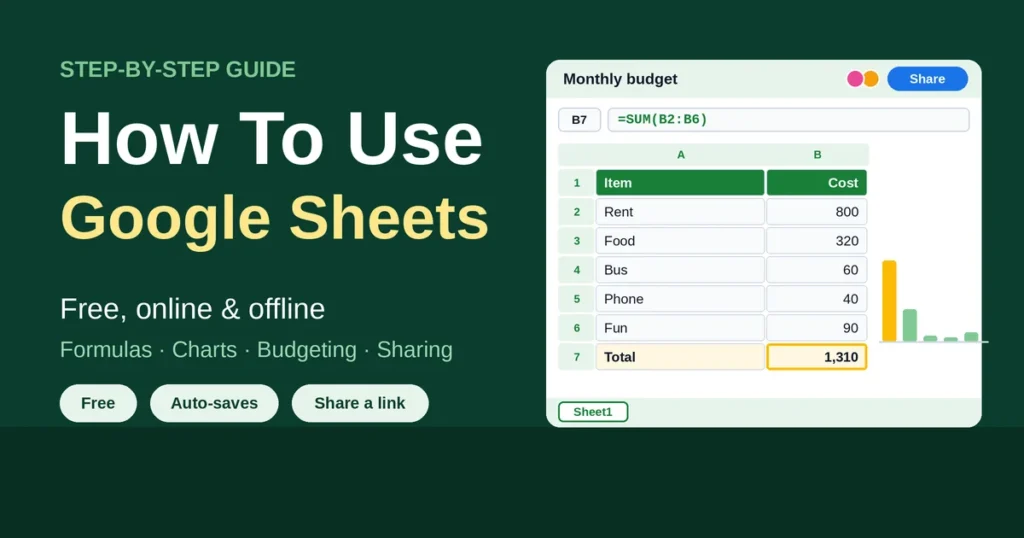
How to use Google Sheets in a nutshell: go to sheets.google.com, sign in with a Google account, click New to open a blank spreadsheet, and type your data into the cells. Start any formula with an equals sign (=), then format, chart and share the file with the Share button. Everything saves on its own, and it costs nothing.
Odds are somebody sent you a link. A group budget, maybe. Or a class schedule, or a work tracker with forty tabs and zero instructions. You click, a grid appears, and your brain just stalls. Totally normal. Blank spreadsheets don’t explain themselves. So here’s the plan: what Sheets is, how to sign in and make a file, what’s on the screen, then formulas, graphs, budgets, sharing, offline use and how it compares with Excel. A quick FAQ wraps it up.
Quick Takeaways
- Google Sheets is free with a Google account, and it runs in a browser.
- It saves by itself. No Save button to forget.
- The Share button decides who can view, comment or edit.
- Offline mode works in Chrome or Edge, once a small extension is installed.
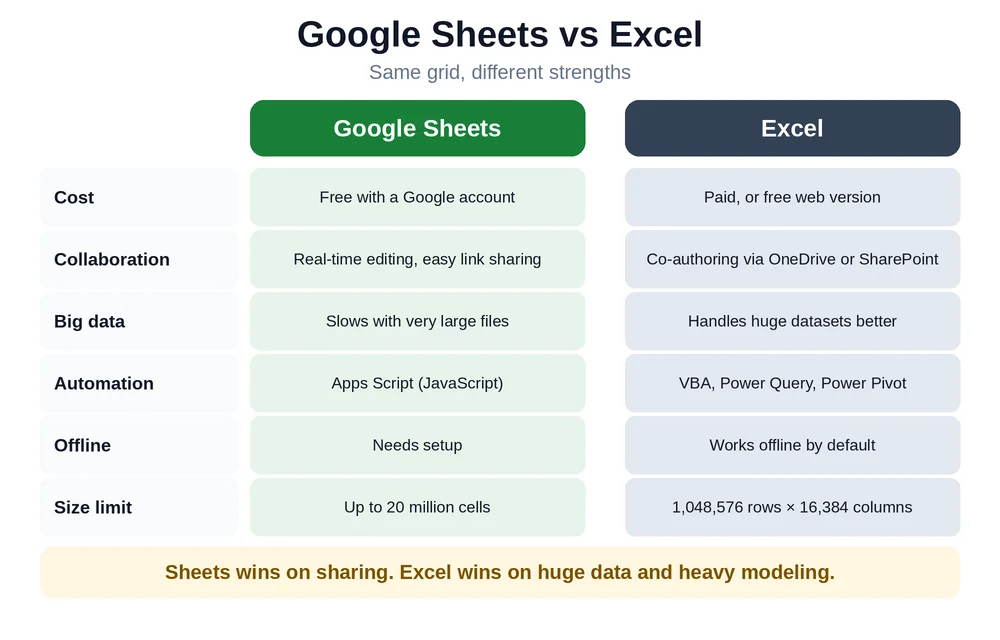
- Excel wins on huge data and heavy modeling. Sheets wins on sharing.
What Is Google Sheets and What Is It Used For?
Google calls it an online spreadsheet app for making and formatting spreadsheets and working with other people. Fair summary. Same basic idea as Excel: rows, columns, cells, formulas.
Mostly, people use it to track stuff and add things up. Budgets. Grade books. Expense logs, inventory lists, schedules, signup sheets. The part that makes it different? The file lives online. Several people can edit at once and watch each other’s changes appear in real time. Which means no more “final_v3_REAL.xlsx” floating around in email.
Ways to Use Google Sheets: Free, Online, Laptop and Mobile
| Way to use it | Cost | Best for |
| Web browser (any laptop or desktop) | Free with a Google account | Almost everything |
| Mobile app (iPhone, iPad, Android) | Free | Checking and light edits |
| Offline mode (Chrome or Edge) | Free | Working without Wi-Fi |
A few of the common searches need a straight answer. “Google Sheets download”? Usually the mobile app, or a saved file. There’s no standalone Windows or Mac app, so on a laptop it’s just a browser tab. “Google Sheets login” means signing in with a Google account at sheets.google.com. And “online” is simply how it works, out of the box.
Business accounts (Google Workspace) add admin controls and a few extras.
How To Sign In and Create a Google Sheet
Google’s own steps are short.
- Open sheets.google.com and sign in with a Google account.
- Click New (the plus button). A blank spreadsheet opens.
- Click “Untitled spreadsheet” at the top and give it a name.
sheets.google.com/create is a handy shortcut. It opens a blank sheet immediately, so bookmark it. And that’s the whole setup. Nothing to install, nothing to configure.
Understanding the Google Sheets Screen
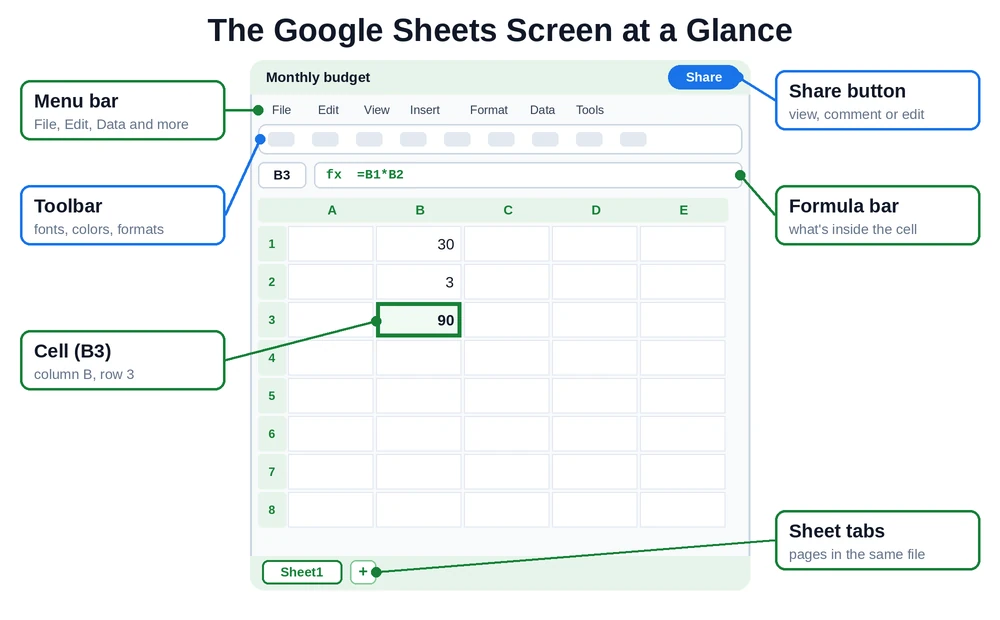
| Part | What it does |
| Menu bar | File, Edit, View, Insert, Format, Data and Tools |
| Toolbar | Quick buttons for fonts, colors, number formats and charts |
| Formula bar | Shows what’s inside the selected cell |
| Cells, rows, columns | The grid. Column letters, row numbers, so B3 is column B, row 3 |
| Sheet tabs | Extra pages in the same file, along the bottom |
| Share button | Top right, controls who can open the file |
Used Excel before? This will feel familiar. A few menu names differ, but it’s close.
How To Use Google Sheets Step by Step (Beginners)
Don’t start with a giant project. Build something small. A monthly spending sheet is a good one, and the steps below follow it.
Step 1: Enter Your Data
Click a cell. Type. Enter drops down a row, Tab moves across. Short headings go in row 1, like “Item”, “Category” and “Amount”, with the entries underneath. One fact per cell. Always.
Step 2: Format It So It’s Readable
Bold the header row. Double-click the line between column letters to widen a column. The Format menu or toolbar turns plain numbers into currency. Colors help too, though none of it changes the numbers themselves.
Step 3: Add a Formula
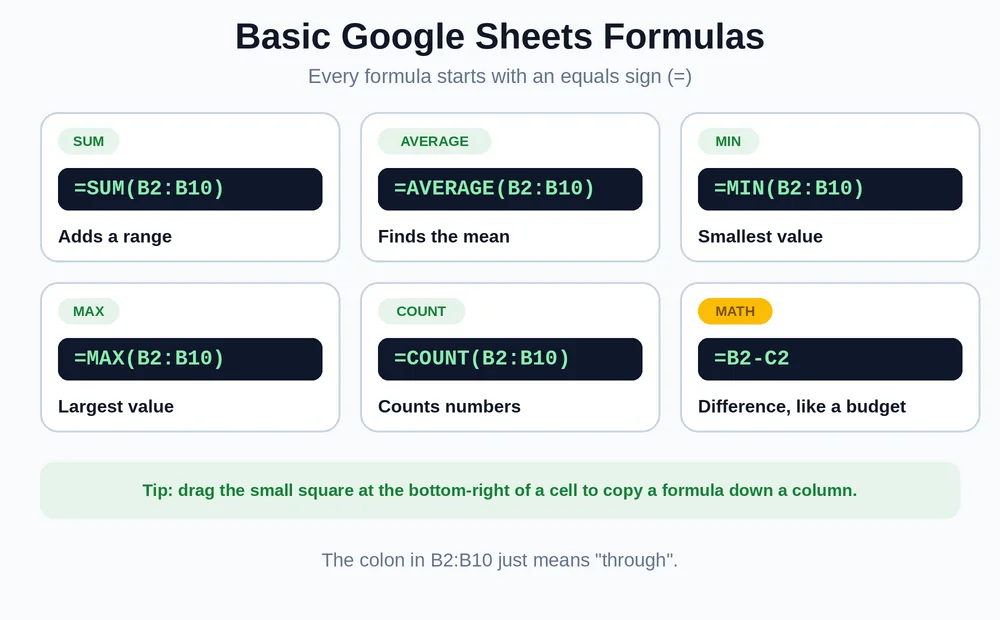
Click an empty cell and type =. Then build the calculation. =SUM(B2:B10) adds a range, and that colon just means “through”. As you type, Sheets suggests function names, which is a lifesaver when the exact name slips your mind.
Step 4: Sort and Filter
Select the data, then Data > Create a filter. Little dropdowns appear in the header row. Sort A to Z, or show only matching rows, like the Food entries. Filters work best when there are no blank rows in the middle.
Step 5: Freeze the Header Row
View > Freeze > 1 row. Now the headings stay put while a long list scrolls.
Step 6: Let It Save Itself
There’s nothing to save. Every change goes to Google Drive automatically. Want a separate copy? File > Make a copy.
Basic Google Sheets Formulas
A handful covers most beginner jobs. SUM for totals. AVERAGE for the mean. MIN and MAX for the smallest and largest, and COUNT for how many numbers. Plain math works too, like =B2*B3 to multiply.
Need a formula copied down a column? Drag the small square at the bottom-right of the cell, and Sheets adjusts the references for you. If Excel formulas came first, most of these work the same way. Our guide on how to use Excel goes deeper on the basics. Google also offers a Sheets cheat sheet for quick reference.
How To Make a Graph in Google Sheets
Thirty seconds, tops.
- Select the data, headings included.
- Click Insert > Chart.
- A chart appears, and the Chart editor opens on the right.
- Pick a type: column, line, pie and more. Under Customize, add a title and change colors.
Column charts compare categories. Line charts show change over time. Pie charts work for a few slices of one whole. Keep it plain, really. A clear chart with a title beats a flashy one nobody can read. Need the chart in a slide deck? Our guide on how to use PowerPoint covers building the slides.
How To Use Google Sheets for Budgeting
Budgets are what Sheets does best, and it’s free. Here’s a simple layout.
- Column A: categories (Rent, Food, Transport, Fun).
- Column B: planned amount.
- Column C: actual amount.
- Column D: the difference, using =B2-C2.
- A total row at the bottom with =SUM.
Next, add conditional formatting so overspending turns red. Select the difference column and use Format > Conditional formatting. Sheets also has budget templates in its template gallery, which is a decent head start. Want a more designed, shareable budget graphic? Our guide on how to use Canva is a good next stop.
How To Use Google Sheets as a Database
A spreadsheet isn’t a real database. Let’s be clear about that. For small jobs, though, it holds up fine.
- Data validation (Data > Data validation) makes dropdown lists, so entries stay consistent.
- Filters pull out the rows needed.
- QUERY and IMPORTRANGE let one sheet read from another, a bit like a lookup.
- One record per row, one fact per column.
Contact lists, inventory and simple trackers all work. Tens of thousands of rows, or lots of people editing at once? Then a real database is the better tool. The cell cap matters too. Google’s current limit is up to 20 million cells per spreadsheet, though plenty of older guides still say 10 million.
How To Share a Google Sheet and Create a Link
Click Share in the top right.
- Add people by email, and choose Viewer, Commenter or Editor.
- Get a link: under General access, switch from Restricted to Anyone with the link, pick a role, and click Copy link.
That’s how to create a Google spreadsheet link. One warning, though: “Anyone with the link” means exactly that. Skip it for private data. Viewer is the safest role for most links.
How To Use Google Sheets Offline
Google lists a few requirements for offline mode: Chrome or Edge, no private browsing, and the Google Docs Offline extension.
- Install the Google Docs Offline extension.
- Open Google Drive, go to Settings, and turn on Offline.
- Or, on the Sheets home screen, click the three dots on a file and turn on Available offline.
Switching it on for Sheets also switches it on for Docs and Slides. On the mobile app, use Available offline from a file’s menu.
How To Use Google Sheets in Excel (and Open Excel Files in Sheets)
Moving between the two is easy. To open an Excel file in Sheets, upload the .xlsx to Google Drive and open it with Google Sheets. Google supports .xls and .xlsx files. Going the other direction? File > Download > Microsoft Excel (.xlsx).
Most formulas carry over. A few Sheets-only functions, like GOOGLEFINANCE and IMPORTXML, don’t work in Excel, and some Excel features don’t survive the trip. Excel files you open in Sheets can even sync for offline use.
Google Sheets vs Excel
| Google Sheets | Excel | |
| Cost | Free with a Google account | Paid, or free web version |
| Collaboration | Real-time editing, easy link sharing | Co-authoring when saved to OneDrive or SharePoint |
| Big data | Slows down with very large files | Handles huge datasets better |
| Automation | Apps Script (JavaScript) | VBA, Power Query, Power Pivot |
| Offline | Needs setup | Works offline by default |
G2 has a detailed Sheets vs Excel comparison for anyone who wants the full feature list.
What’s the difference? Sheets is built for sharing and simple work in a browser. Excel is built for power: bigger data, deeper analysis, heavier modeling. An Excel worksheet holds 1,048,576 rows by 16,384 columns.
Is Sheets easier than Excel? For beginners, usually. Less to learn, nothing to install. The basics are nearly identical.
Which is safer? Neither wins outright. Both are secure when used carefully. Sheets’ risk is mostly oversharing links, and Excel’s is lost or emailed files. Turn on two-step verification either way.
Why does everyone use Excel? Habit and power. It’s been the business standard for decades, and finance teams lean on its advanced tools.
Can Sheets replace Excel? For plenty of people, yes. For heavy data, macros and complex models, not quite.
Common Beginner Mistakes (and Easy Fixes)
- Forgetting the equals sign. No =, no formula.
- Blank rows in the data. Filters and sorting can stop at the gap.
- “Anyone with the link” on a private file. Switch it back to Restricted.
- Turning on offline in a private window. It won’t work there.
Frequently Asked Questions
What is the difference between Excel and a Google sheet?
Sheets is free, lives in a browser and shines at sharing. Excel is the heavier desktop program, with more advanced tools and bigger data limits. The basics, like cells, formulas and charts, work much the same in both.
Is Google Sheets hard to learn?
Nope. An afternoon covers the basics: type data, add a SUM formula, make a chart, share the file. The advanced stuff, like QUERY and Apps Script, takes longer.
Is Google Sheets easier than Excel?
For most beginners, yes. Nothing to install, simpler sharing, and the basics are nearly identical. Excel goes deeper, which also means more to learn.
What is the main use of Google Sheets?
Tracking and adding things up. Budgets, schedules, lists and simple reports, especially when several people need to edit the same file.
How do I use Google Sheets for beginners?
Go to sheets.google.com, click New, and name the file. Type headings in row 1 and data below, add a formula like =SUM, then share it with the Share button.
What is the disadvantage of Google Sheets?
It slows down with very large datasets, has fewer advanced tools than Excel, and needs setup for offline use. Careless link sharing is a risk too.
Which is safer, Excel or Google Sheets?
Neither is clearly safer. Both are secure when used carefully. Sheets’ main risk is oversharing links, and Excel’s is lost or emailed files. Two-step verification and careful sharing matter most.
Why does everyone use Excel instead of Google Sheets?
Mostly habit and power. Excel has been the business standard for decades, and it handles huge datasets, macros and advanced analysis that Sheets can’t match.
Can a Google sheet replace Excel?
For lots of people, yes, especially for everyday tracking and sharing. For heavy data, complex financial models and macros, Excel is still the better tool.
Final Thoughts
Learning how to use Google Sheets comes down to a few habits. Name the file. Put headings in row 1. Start formulas with =. Let it save itself. And think before sharing a link.
Features and limits change as Google updates Sheets, so Google’s own help pages are the best place to confirm the latest details.
Sources consulted: Google Docs Editors Help, Google Workspace Learning Center, G2, TechRepublic and PCWorld. All content was written independently in original wording.